6 Resume Formatting Mistakes Most People Miss
A single word on the last line, bullets that run too long, a heading stranded at the bottom of the page, mixed date formats, periods on some bullets but not others. Spend five minutes checking your resume against this list before you apply.

Your resume is usually the first impression a hiring manager gets of you. Reading resumes myself, I’ve noticed they’re full of simple details that people overlook: a line holding a single word, dates written as a year in one place and a year and month in another, periods on some bullets but not others.
Saying these details decide whether you get an interview might be a stretch, but first impressions are built from them. They aren’t hard to fix. The hard part is seeing them: after reading your own resume dozens of times, your eyes skip right over them, and even an AI review won’t always point them out.
Here are the 6 I see most often, in two groups: layout and formatting, each with how to fix it. Check your resume against them before you send it.
Layout: one word can shift everything
These four depend on the final layout. Change the font, adjust a margin, or edit a single word, and the line breaks and page breaks can move. Few people reread the whole page after editing the content, so these are the easiest to miss.
1. A single word on the last line
A bullet wraps and its second line holds just one word, for example “…from a shared VM fleet to” followed by “Kubernetes” alone on the next line. One word takes up a whole line, the layout looks unfinished, and a one-page resume loses a line of space.
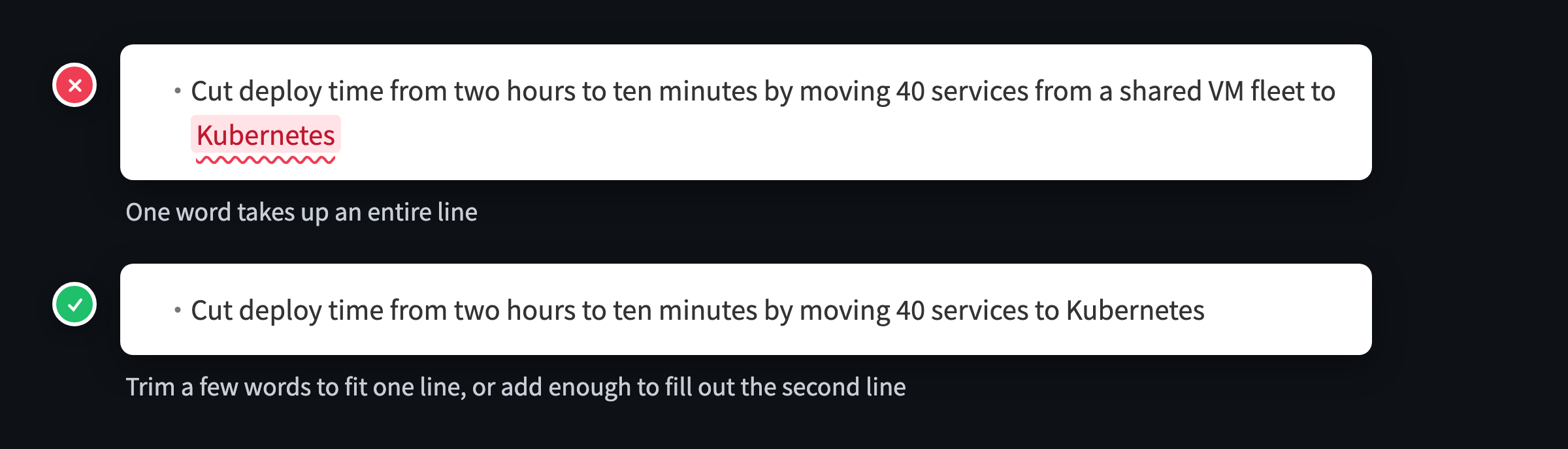
How to fix it: cut a few words so it fits on one line, or add a few so the second line carries more.
2. Bullets longer than three lines
A bullet wraps to four lines or more and reads like a paragraph. Hiring managers mostly skim, and a long bullet buries the point in the middle.
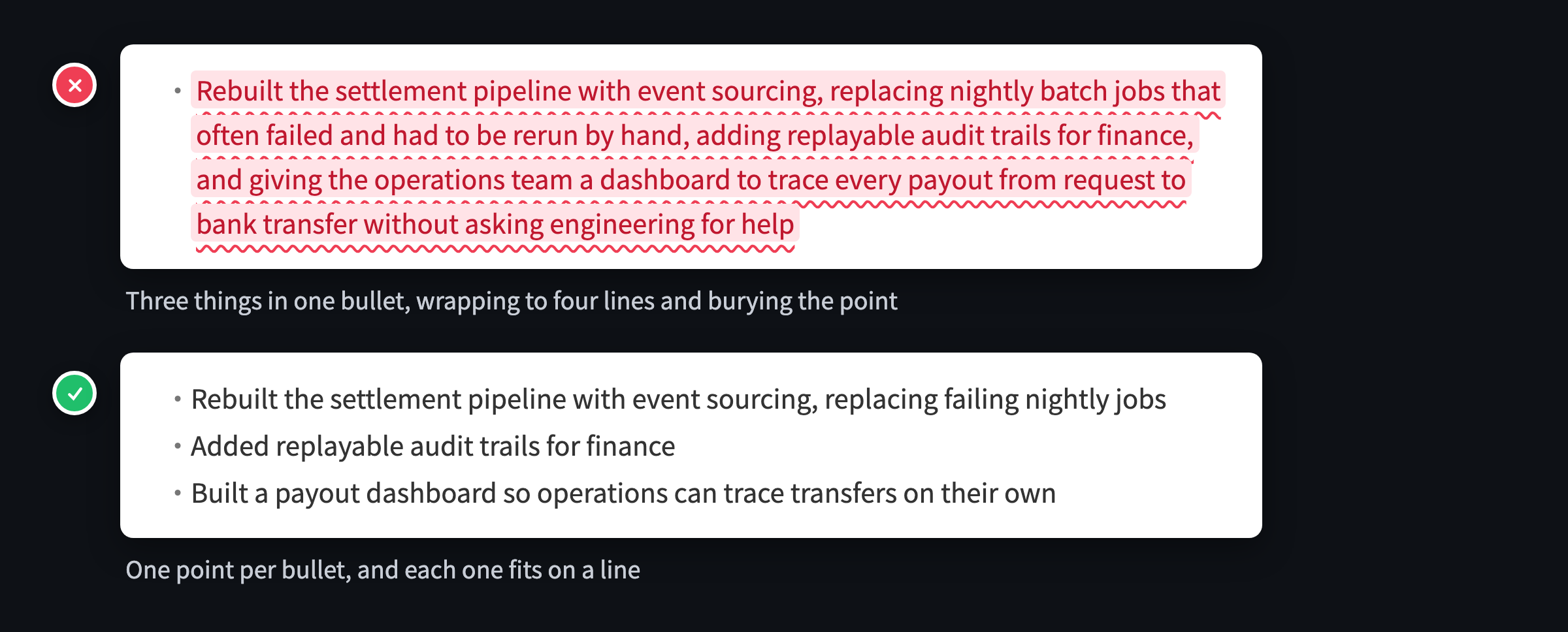
How to fix it: one point per bullet. If it covers how you did something and several results, split it in two. If the first half is background, cut the background and lead with the result.
3. A heading stranded at the bottom of the page
The last line of page 1 is a section heading like “Education”, but its content starts on page 2, so the reader has to turn the page to see what it’s about.
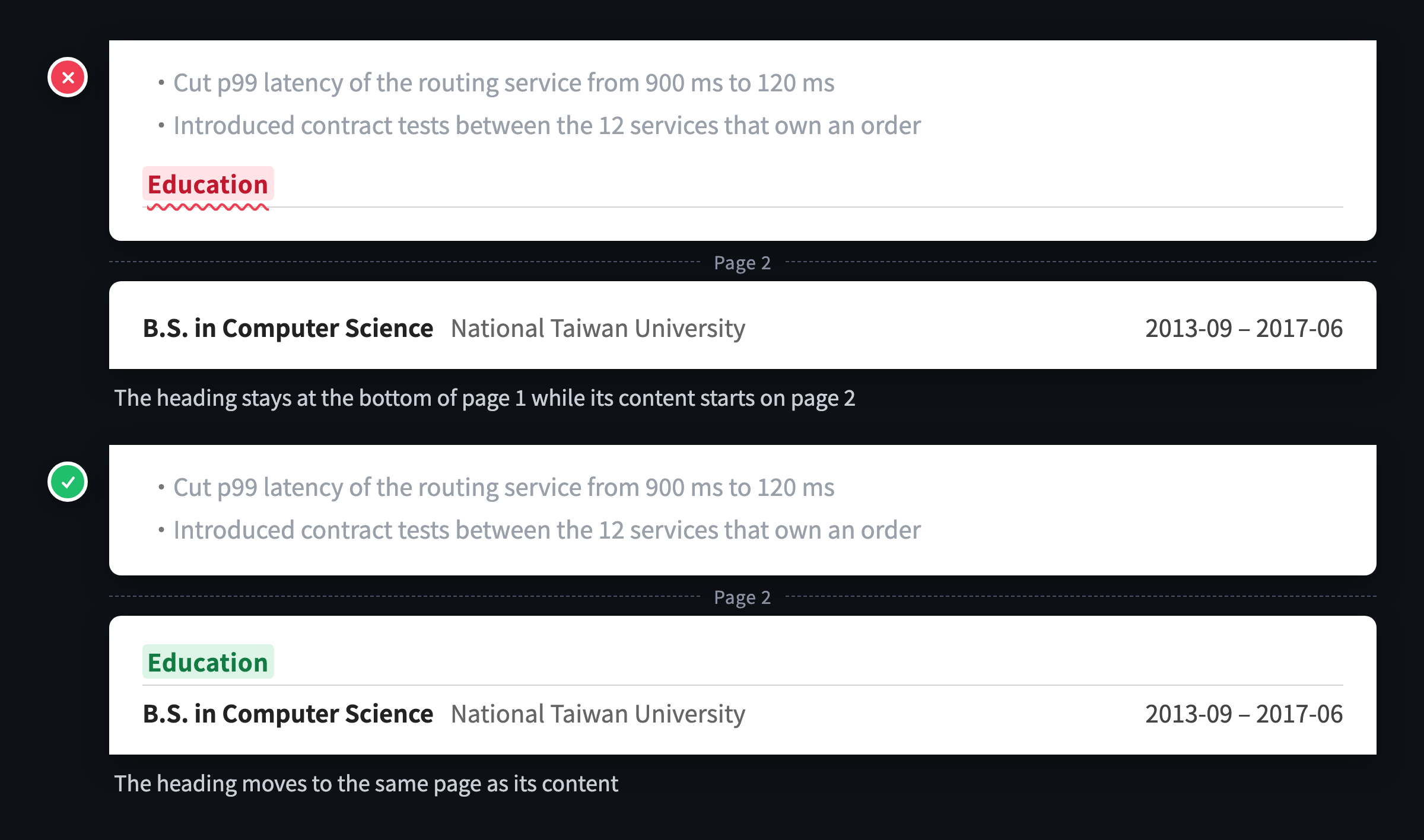
How to fix it: keep the heading on the same page as its content. Shorten the section before it to pull everything back, or add a little spacing to push the heading onto the next page.
4. A nearly empty last page
The resume runs two pages, but page 2 holds only two or three lines. An extra page with a few lines on it looks like it spilled over by accident, and it usually means the resume could fit on one page.
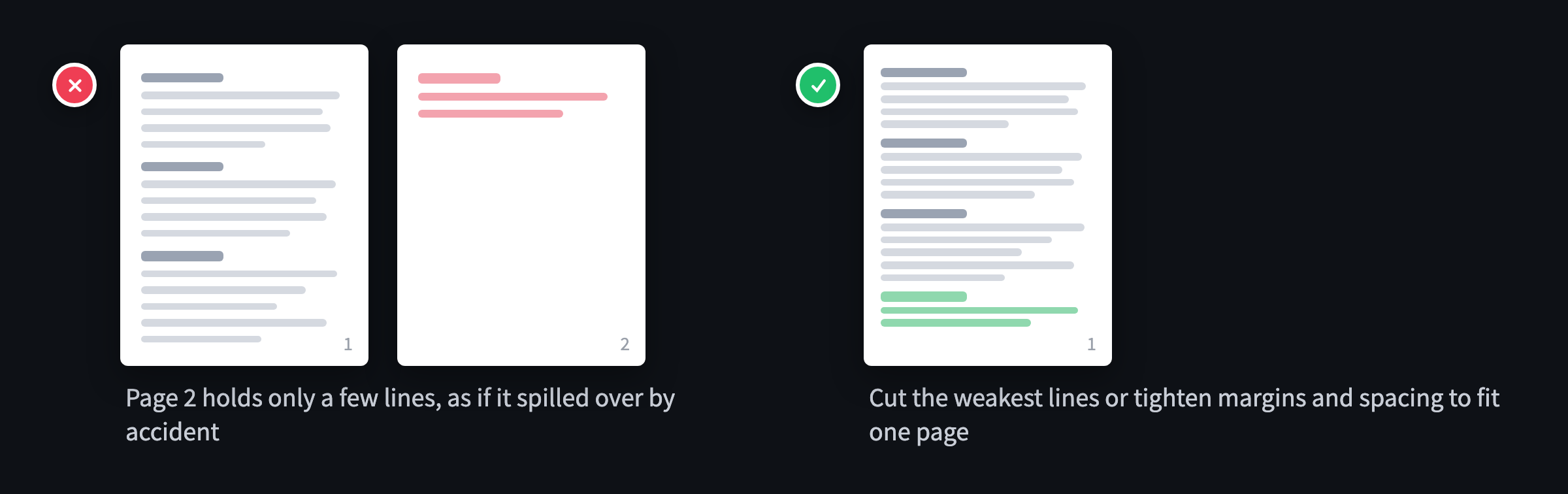
How to fix it: cut the weakest bullet or two, or tighten the margins and line spacing a little. You don’t have to shrink the font.
Formatting: easy to slip in while editing
These two have nothing to do with layout, and you can check them by reading the text. They’re also the easiest to slip in over many rounds of edits and copy-pasting between versions.
5. Mixed date formats within one entry
One entry starts with “2019” and ends with “2021-03”, and the reader may wonder why the month is missing.
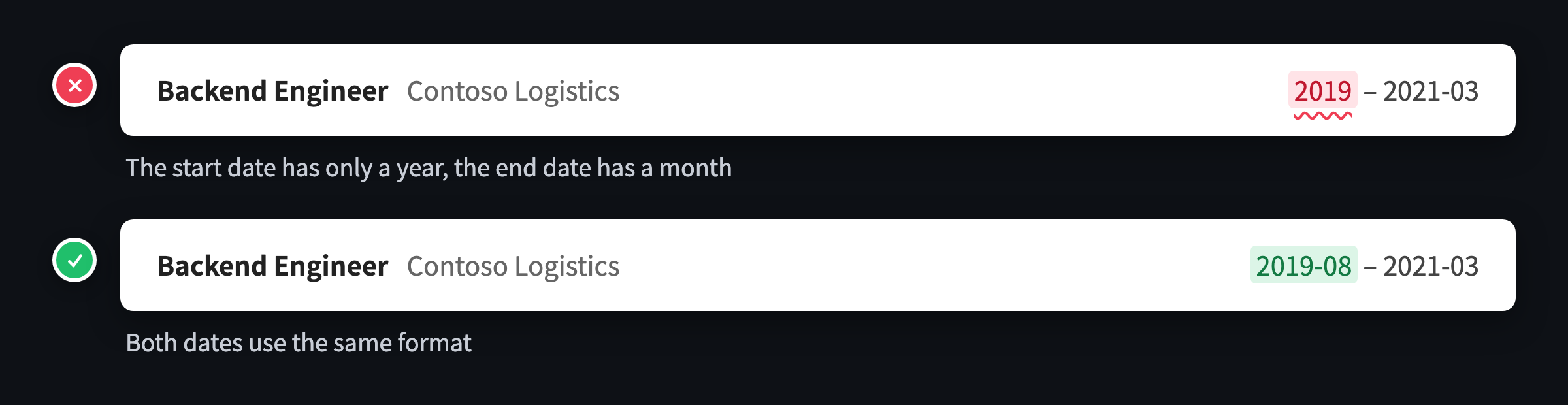
How to fix it: write the start and end dates of an entry the same way, and keep that format across the whole resume.
6. Periods on some bullets but not others
Most bullets end without a period and one or two end with one, or the other way around. Either style works on a resume, but mixing them looks inconsistent, and it’s usually a leftover from copying between versions.
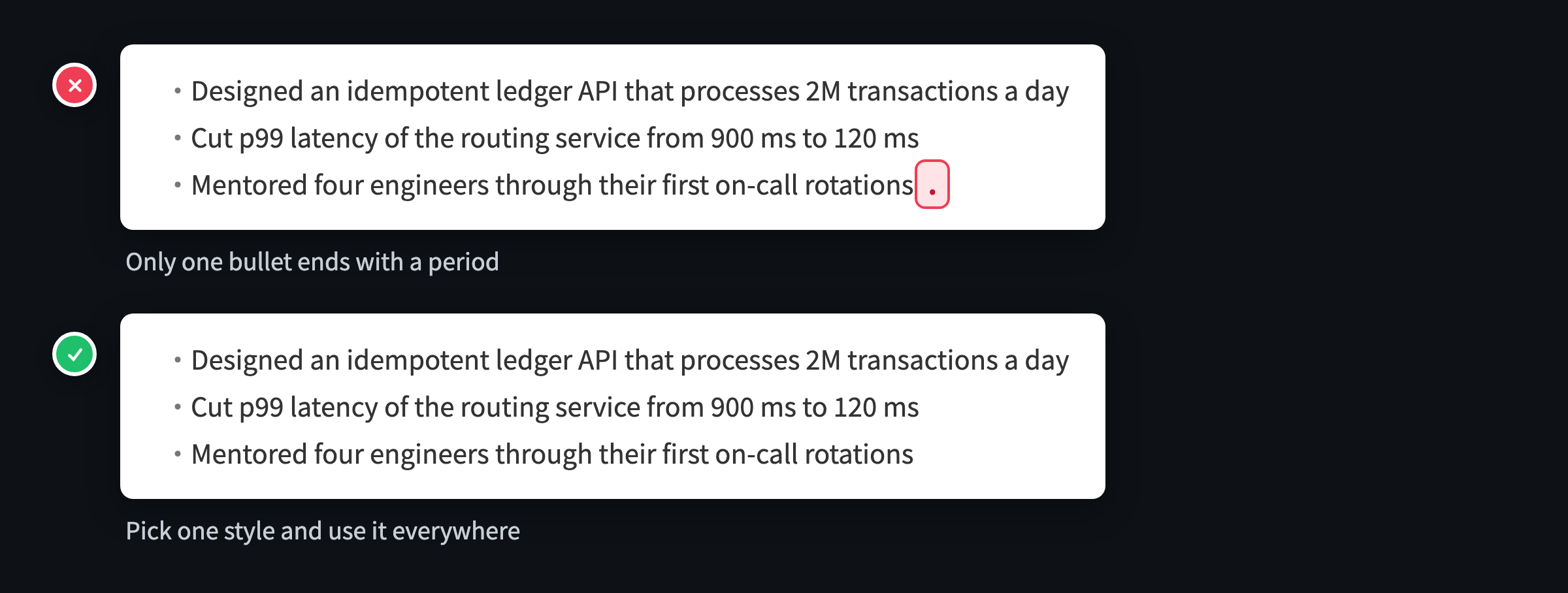
How to fix it: pick one style and use it throughout. Bullets usually aren’t full sentences, so leaving the period off is the more common choice.
Checklist before you apply
- No bullet ends with a single word on its last line
- Every bullet fits in three lines
- Every section heading sits on the same page as its content
- The last page holds more than two or three lines
- Every entry writes its start and end dates the same way
- Every bullet ends the same way, with or without a period
Recheck everything after every edit?
This checklist has one annoying catch: every time you change the content, you have to run through it again. Delete a word and the next line might end up holding one word. Add a role and a heading might get pushed to the bottom of the page.
That’s why I built Resume Check. GitResume checks all 6 on every build and points to the exact lines in your resume file. Layout issues can often be fixed without touching the content, just by adjusting the layout density. And if you’ve connected an AI assistant, it can read the reminders too and fix them for you.
How many did you hit?
No need to retype your resume. Hand the one you already have to Claude or another AI tool, and through GitResume’s MCP server it moves your resume into GitResume, whether it’s a PDF, a Word file, or Markdown. A few minutes later, you have a PDF and a web resume, plus the results of all 6 checks.