5 JSON Resume Alternatives: An Honest Comparison for Developers (2026)
Hand-writing JSON hurts, hosting requires a public Gist, and themes are a gamble? Compare GitResume, RenderCV, YAMLResume, Reactive Resume, and LaTeX, with real trade-offs.

Let’s get one thing straight first: JSON Resume is not dead. In 2026 it consolidated into a monorepo and revived resume-cli for modern Node. The project is doing fine.
But if you’re searching for a JSON Resume alternative, you’re probably stuck on one of these three things:
- Hand-writing JSON genuinely hurts. No comments, no trailing commas, and multiline text means
\nescapes. A resume is something you write; JSON is something you serialize. They were never meant to be the same format. - Official hosting requires a public Gist. The registry renders
resume.jsonfrom a public GitHub Gist. Don’t want your resume data sitting in a public Gist? Then you’re building your own pipeline. - Themes are a gamble. Themes are npm packages maintained by individual community members. What your PDF looks like depends on whether the author of the one you picked still maintains it.
If that’s where you’re stuck, here are five ways out. Disclosure up front: GitResume is our product and it’s listed first, but the others get their strengths written up straight, and their weaknesses too.
Last updated: August 2026. Features and pricing verified at publication.
The short version
| Input format | Where it builds | Outputs | Repo can stay private | Price | |
|---|---|---|---|---|---|
| GitResume | YAML + Markdown | Push-triggered, hosted build | PDF + web page, automatic | Yes | Free plan; Pro at US$5/month |
| RenderCV | YAML | Your machine (CLI) | PDF, HTML, PNG | Local files | Free, open source |
| YAMLResume | YAML | Your machine (CLI) | PDF, DOCX, HTML, Markdown | Local files | Free, open source |
| Reactive Resume | Web GUI | Hosted or self-hosted | PDF + share link | No repo at all | Free, open source |
| LaTeX templates | LaTeX | Local or Overleaf | Local files | Free (Overleaf has paid tiers) |
1. GitResume: YAML in your repo, builds on us

GitResume is ours, so this section comes with a built-in bias. Discount accordingly.
The flow: your resume is a gitresume.yaml in your own GitHub repo. Push, and it builds a typeset PDF plus a live page at gitresume.co/@you/resume. Nothing to install locally. There’s a 3-minute video demo of the whole flow, from YAML to a live resume website plus PDF.
We built this product because we kept hitting those same three walls ourselves. So the fixes are direct:
- YAML + Markdown instead of JSON. Structured fields stay structured, but descriptions are plain Markdown: bullets, bold, links, no escaping. Being able to write comments is the thing you’ll thank yourself for when you’re maintaining three tailored variants at once.
- Your repo stays private. GitResume reads it through a read-only GitHub App. The only public thing is the page you chose to publish, and you can unpublish anytime.
- No build step. Every push rebuilds automatically, and the PDF and web page always match the same commit. You’ll never ship a current web page with a three-versions-old PDF.
- The PDF is never watermarked. That’s a promise, not a paid feature: every plan produces a clean PDF, so the file you send to employers doesn’t advertise us. The free plan’s GitResume badge appears only on the public resume page.
- Anonymous view analytics on the published page: the free plan shows views and PDF downloads; visitor regions, devices, and other advanced data are in Pro.
- A built-in MCP server, so Claude or any MCP client can read, validate, rebuild, and publish your resume, on the free plan as well. Editor autocompletion comes from a published JSON Schema.
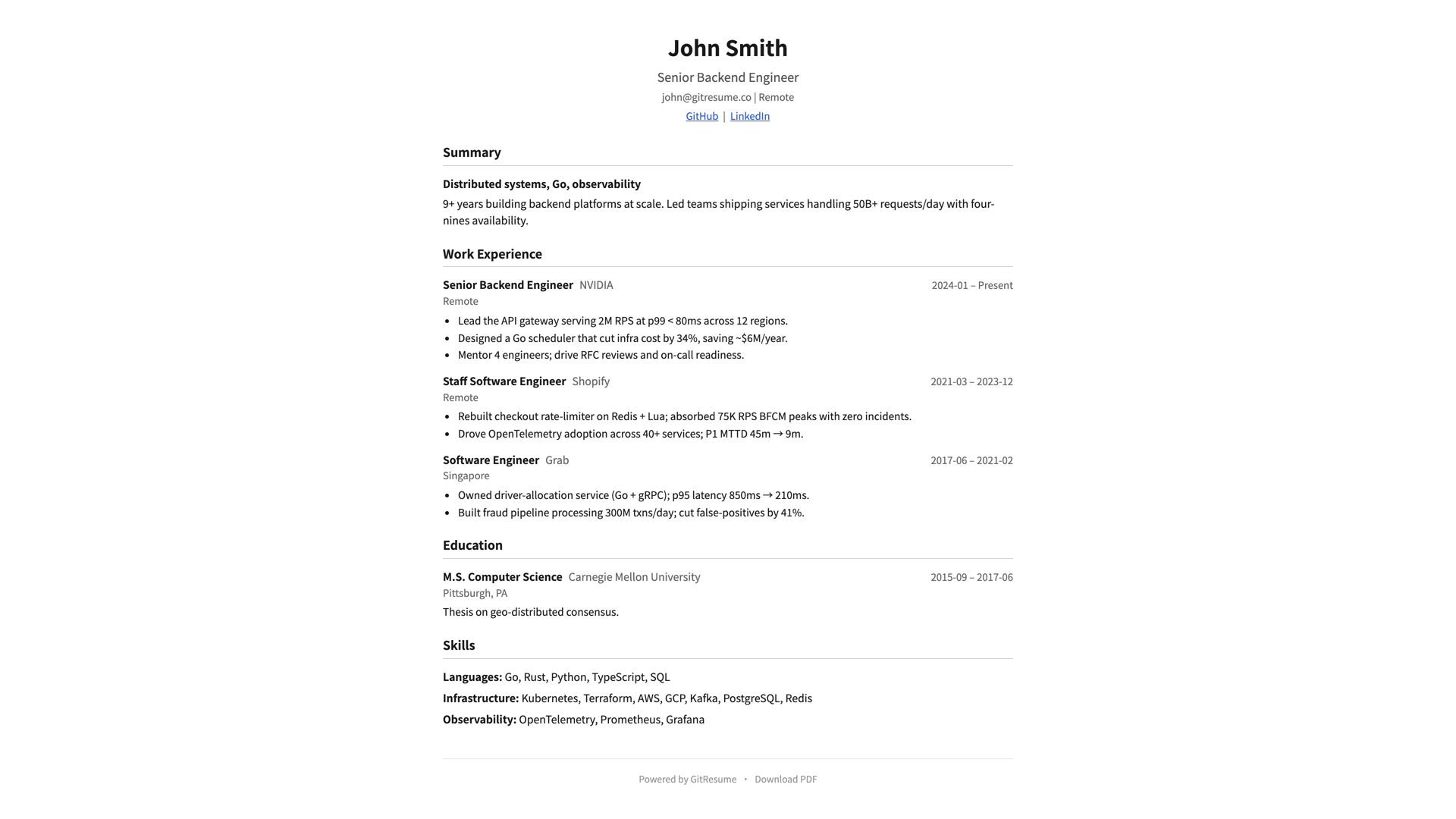
The trade-offs, stated plainly: it’s a hosted service, not a local tool. If you want to own the whole rendering pipeline or build heavily customized layouts, the CLI tools below fit better. The free plan is limited to 1 project and the public page carries a GitResume badge; Pro (US$5/month, US$48/year) gets you 5 projects, a badge-free page, a custom domain, and advanced analytics. The PDF stays watermark-free on every plan.
To see what the format looks like, read What is Resume as Code?. Already have a resume? Hand it to an AI agent and convert it in minutes.
2. RenderCV: the local-first pick
RenderCV is an open-source CLI with 17k+ GitHub stars. One YAML file goes in, a PDF comes out, and it can produce HTML, Markdown, and PNG along the way.
It splits the YAML into four parts (content, design, locale, settings), and a JSON Schema gives you editor autocompletion so you’re not living in the docs. There’s a decent set of built-in themes (classic, engineeringresumes, sb2nov, moderncv, and more), plus a create-theme command if none fit. Watch mode regenerates the PDF on save, which makes for a pleasant feedback loop. Most importantly, everything runs on your machine. Your data never leaves.
The cost is that the whole pipeline is yours to run: install the CLI, keep up with updates, wire up GitHub Actions yourself if you want builds on push, and figure out where the PDF lives afterward. No hosted resume page, no view data.
If you want full local control and don’t mind owning one more toolchain, you won’t go wrong here.
3. YAMLResume: YAML in, LaTeX quality out
YAMLResume is also an open-source CLI. Same idea, you write YAML, but it renders through LaTeX under the hood.
The pitch fits in one sentence: LaTeX typesetting quality without writing LaTeX. And output isn’t just PDF; it produces DOCX, HTML, and Markdown too.
The cost: you need either XeTeX or Tectonic installed as the typesetting engine. Hosting and automation are DIY, same as RenderCV. And the project is still on 0.x versions, so the API and config format may shift; keep that in mind before you depend on it heavily.
4. Reactive Resume: if you’d rather not touch text files
Reactive Resume is a free, open-source visual resume editor: a section-based interface (sections reorder by drag), over a dozen templates, share links with view statistics, and optional AI writing assistance. Use the hosted version, or self-host with Docker if you want to own your data completely.
For a free tool, it’s remarkably complete. No ads, no paywalls, and the interface is genuinely well made.
One thing deserves to be said clearly, though: it steps entirely outside the “resume is a text file in Git” model. Your resume lives in its database, not in a repo. No git diff, no branches for tailored variants, no PR reviews. That’s not a flaw, it’s a different philosophy. But if version control is what brought you to this post, this one answers a different question.
5. LaTeX templates: the road that was always there
Before JSON Resume existed, engineers were already keeping Awesome-CV and moderncv in Git. That road still works, compiled locally or on Overleaf.
Typographic control is the ceiling here, nothing else comes close, and plain text files keep the Git workflow fully intact.
The cost is that you’re writing LaTeX: content and presentation share one file, so tailoring a variant means editing markup. AI can write it for you now, sure, but reviewing AI-generated LaTeX is still a lot more tiring than reviewing YAML or Markdown.
Academia, and anyone who already loves LaTeX, doesn’t need me to say more.
When you should stay with JSON Resume
Honesty cuts both ways. In these cases, staying is the better deal:
- You’ve already invested in its schema and a theme you like, and the project is maintained (the CLI was revived for Node 18+ in 2026).
- Your toolchain is JavaScript-native and you need to manipulate
resume.jsonprogrammatically against a stable, widely supported schema. - A public Gist as your data source simply doesn’t bother you.
The JSON Resume standard itself is solid. What the alternatives compete on was never the standard; it’s the writing experience and the hosting experience.
FAQ
Does the GitResume free plan watermark the PDF?
No. The PDF is never watermarked, and that’s a promise rather than a paid feature: the file you send to employers doesn’t advertise us. The free plan’s GitResume badge appears only on the public resume page, and Pro removes it.
What’s the easiest way to migrate my resume.json?
Hand it to an AI agent. We wrote up how to convert an existing resume to gitresume.yaml with AI, and it works just as well on JSON Resume files: schema-to-schema conversion is mechanical work, which is exactly what LLMs are best at.
If “YAML in your own repo” sounds like your kind of road, the Getting Started guide takes about five minutes.
Further Reading
- What is Resume as Code?: the concept, with a full format example
- Turn Your Existing Resume into Resume as Code with an AI Agent: the
resume.jsonmigration path - JSON Resume official docs: the standard and registry, first-hand
- RenderCV user guide, YAMLResume, Reactive Resume docs: the tools compared here, straight from the source