Software Engineer Resume Template: Free Template and Writing Guide (2026)
A free, MIT-licensed software engineer resume template with a live preview, plus a section-by-section writing guide: quantified bullet formula, verb tense, skills triage, and ATS rules.

If you’re looking for a software engineer resume template, here’s the goods first, the how-to after:
- Template repo: gitresume-co/resume-template, free, MIT licensed
- What it produces: the live version is the bare template as built; the PDF below shows what a fully filled-in resume looks like
- Don’t want to hand-write YAML: the Resume Builder generates it from a guided form
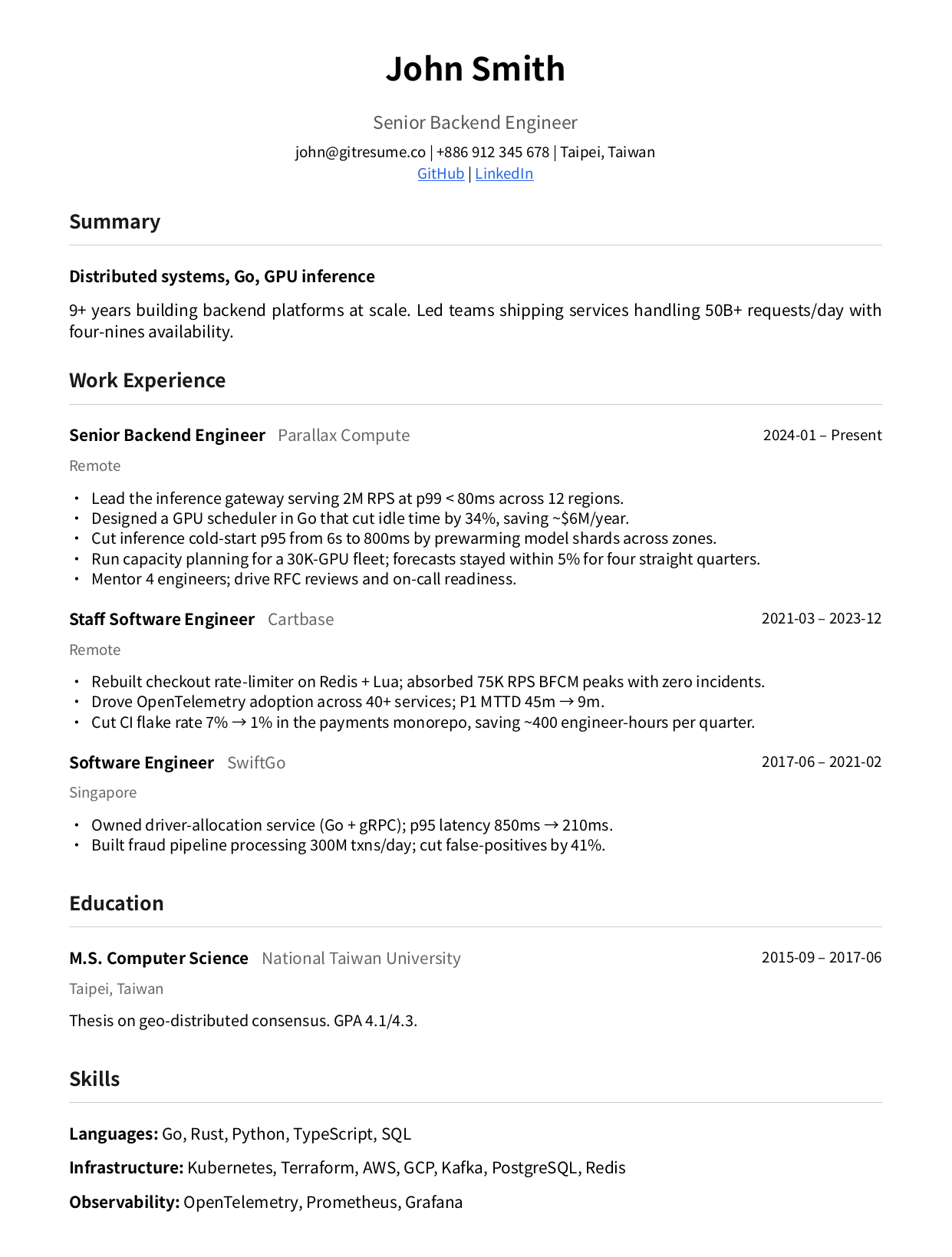
The person, companies, and numbers in the sample resume are fictional. They’re there to demonstrate the writing, nothing else.
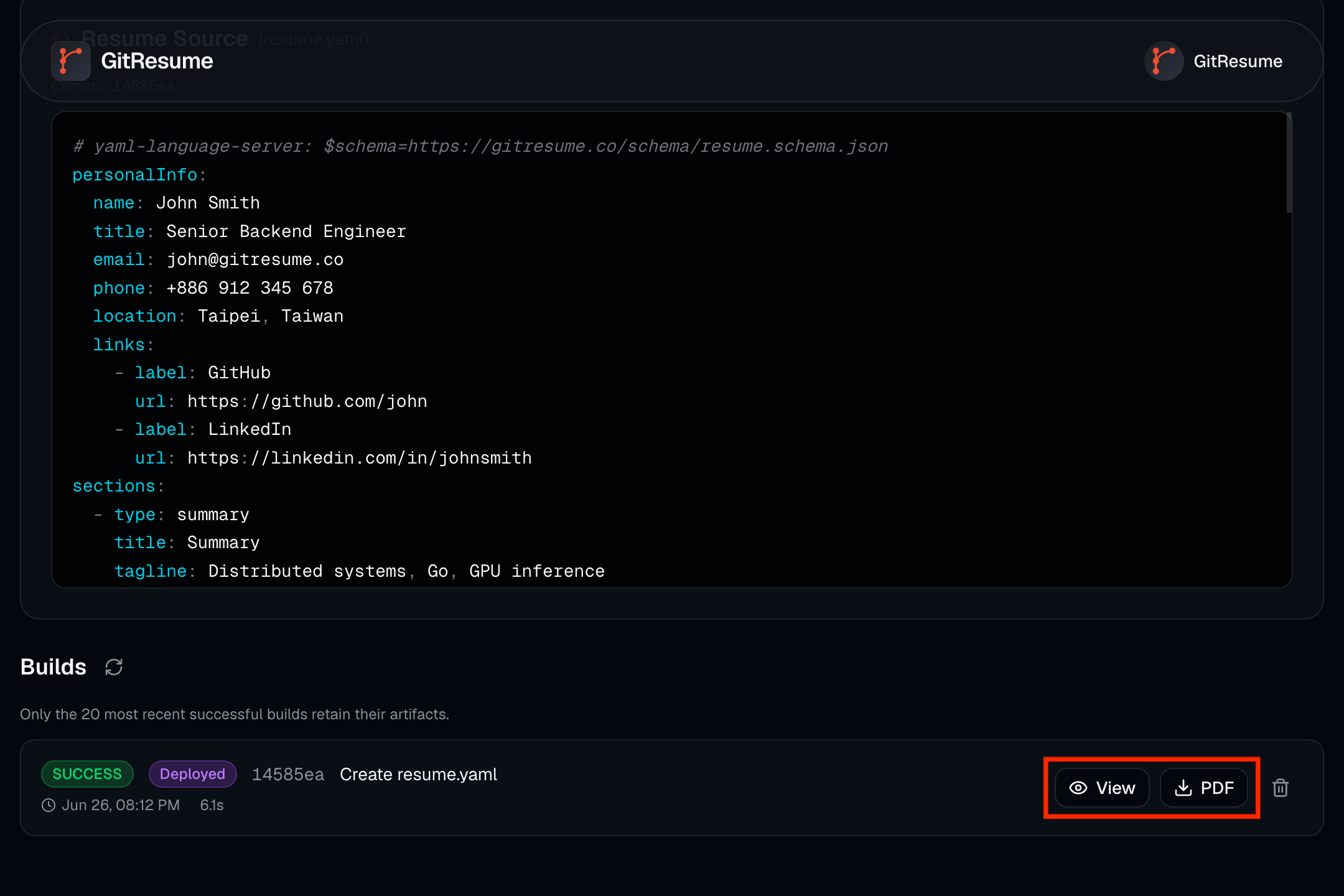
Using it takes three steps: click Use this template on GitHub to create your own repo, copy example.gitresume.yaml into your own gitresume.yaml (or generate one with the Builder), connect the repo at gitresume.co, and push. The PDF and web resume build automatically, and every push that touches the resume rebuilds both.
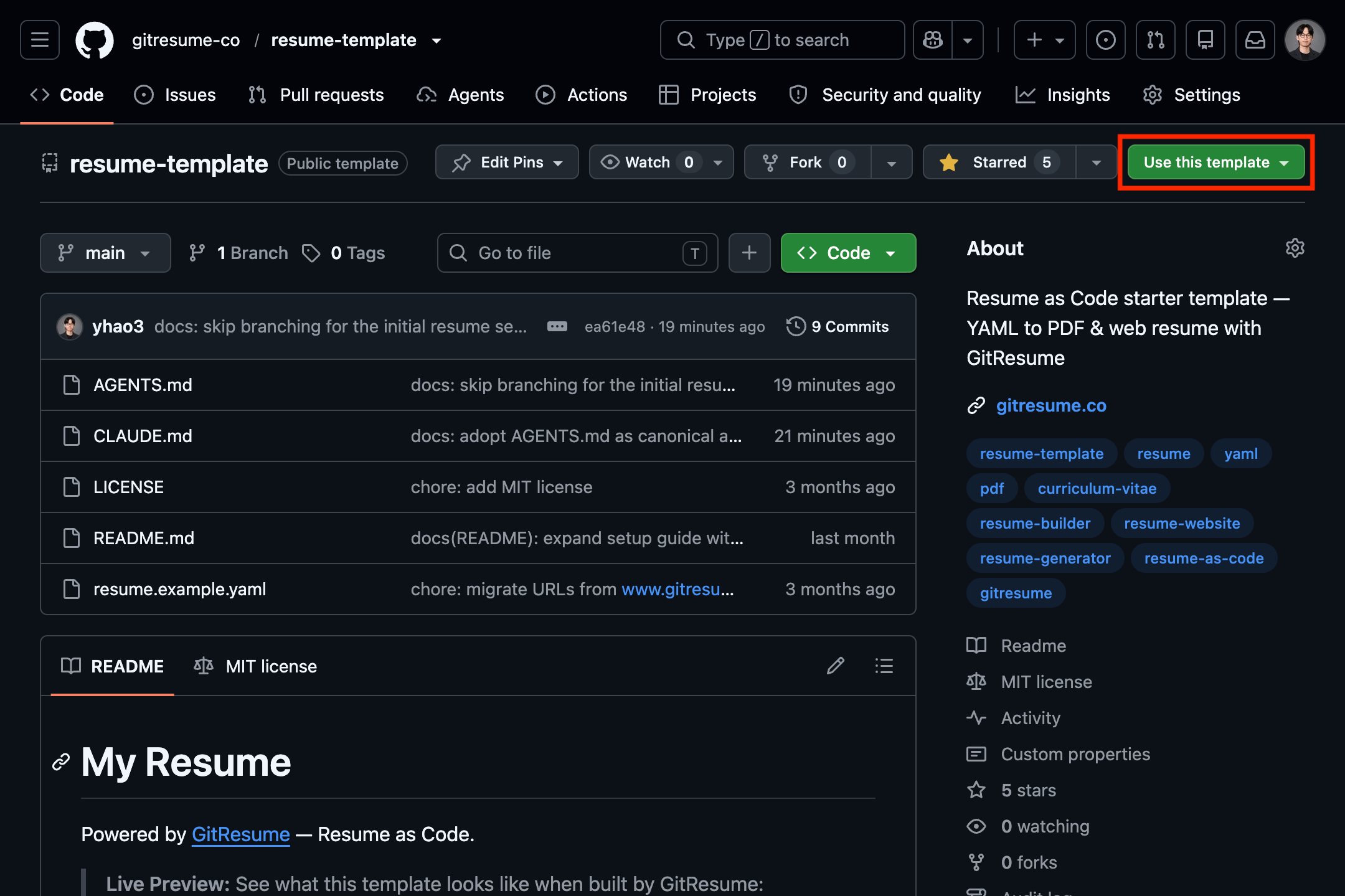
The template is ours (GitResume), disclosure up front. But the writing advice below holds whether you use it or not.
Contact info: just make yourself reachable
Name, email, phone, location, plus GitHub and LinkedIn if you actually maintain them. The details are easier to get wrong than you’d think:
- Phone with country code:
+886 912 345 678, so recruiters abroad can actually dial it - Location stops at the city:
Taipei, Taiwan. No street address. - Set a custom LinkedIn URL first. A default link ending in random characters looks sloppy.
- Tidy your GitHub before listing it: pin a few solid repos, fill in the READMEs. An empty account is worse than no link.
- Links on the web version should be visibly clickable; the template renders them in blue automatically.
All of this maps to the personalInfo block in the template’s YAML. Fill it in and it lays itself out.
Summary: two or three lines on who you are
One school of thought says cut the summary when space is tight. Our take: a two-to-three-line summary earns its space; only the vague ones deserve cutting. Recruiters scan a resume in seconds, and this is the one part of the first impression you control. It works like the written version of your interview intro: one line that positions you as relevant to the role and different from everyone else.
Lead with domain and scale, like this article’s sample resume does:
Distributed systems, Go, GPU inference. 9+ years building backend platforms at scale.
What deserves cutting: “fast learner, team player, good communication skills” and anything else that’s true of everyone, plus career-objective statements. Save those for the interview.
Experience: the body of the resume
Newest first, with weight decreasing over time: the latest role gets the most detail (the sample gives it five bullets), older roles get leaner, and the oldest can be two bullets and done. Classic engineer resumes all have this shape: the current job takes the most space, and the job from ten years ago wraps up in two lines. Every bullet uses the same formula: strong verb + what you specifically did + quantified impact.
Compare these two lines:
✕ Responsible for maintaining the company’s API services
✓ Rebuilt checkout rate-limiter on Redis + Lua; absorbed 75K RPS BFCM peaks with zero incidents
The first is a job description; anyone in that seat could write it. The second is a resume: what you did, what you used, what happened, with numbers.
Quantifying doesn’t require earth-shattering achievements. All of these count:
- Scale: how many RPS, how big a cluster, how much data
- Change: latency from X to Y, build time cut by Z percent, cost savings
- Reach: how many teams adopted it, how many services it touched, how many people you led
If you genuinely can’t produce a number, spell out the technical decision and its consequence instead, like “Migrated nightly cron jobs to an event-driven pipeline, eliminating half-day data delays”. Cause and effect still beats a list of duties.
A few details that are easy to miss.
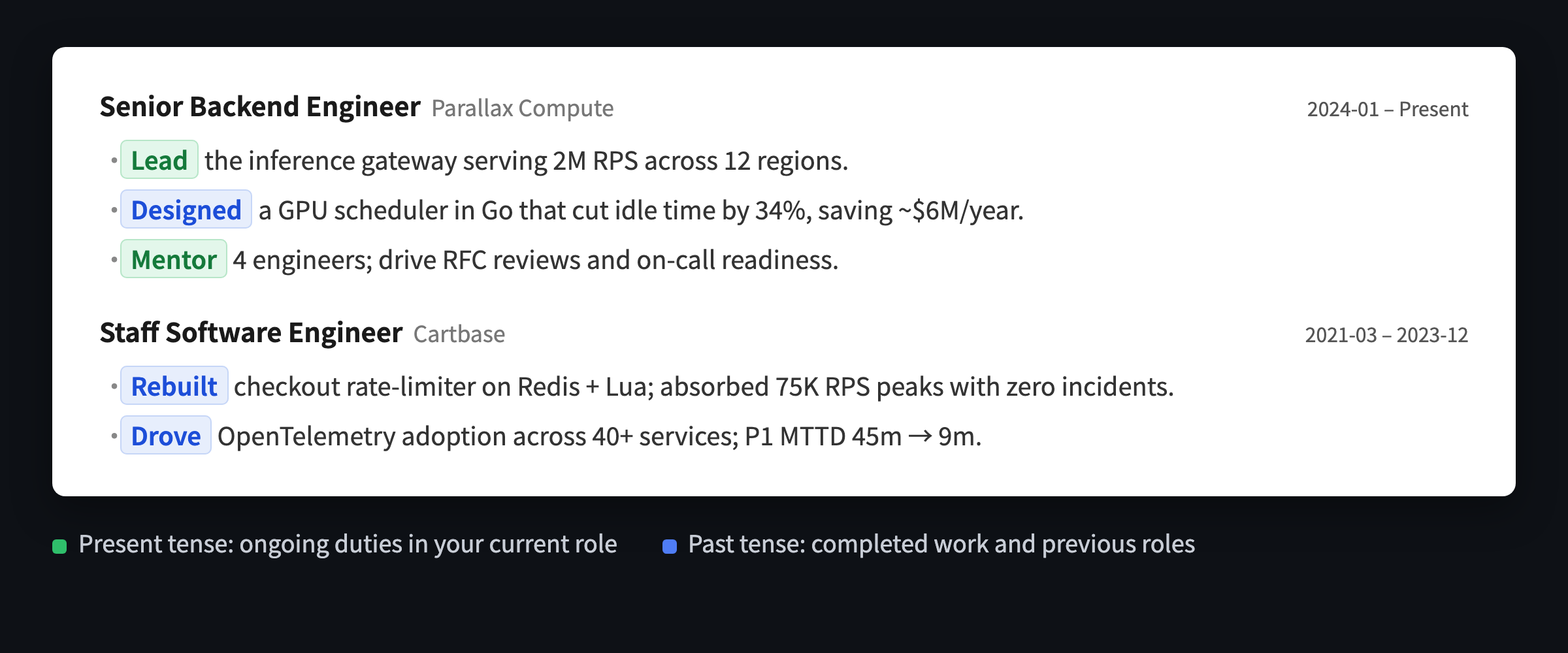
Verb tense: previous roles are always past tense; ongoing duties in your current role take the present tense, and completed one-off achievements within it take the past. Mixing them isn’t inconsistency, it’s the correct convention:
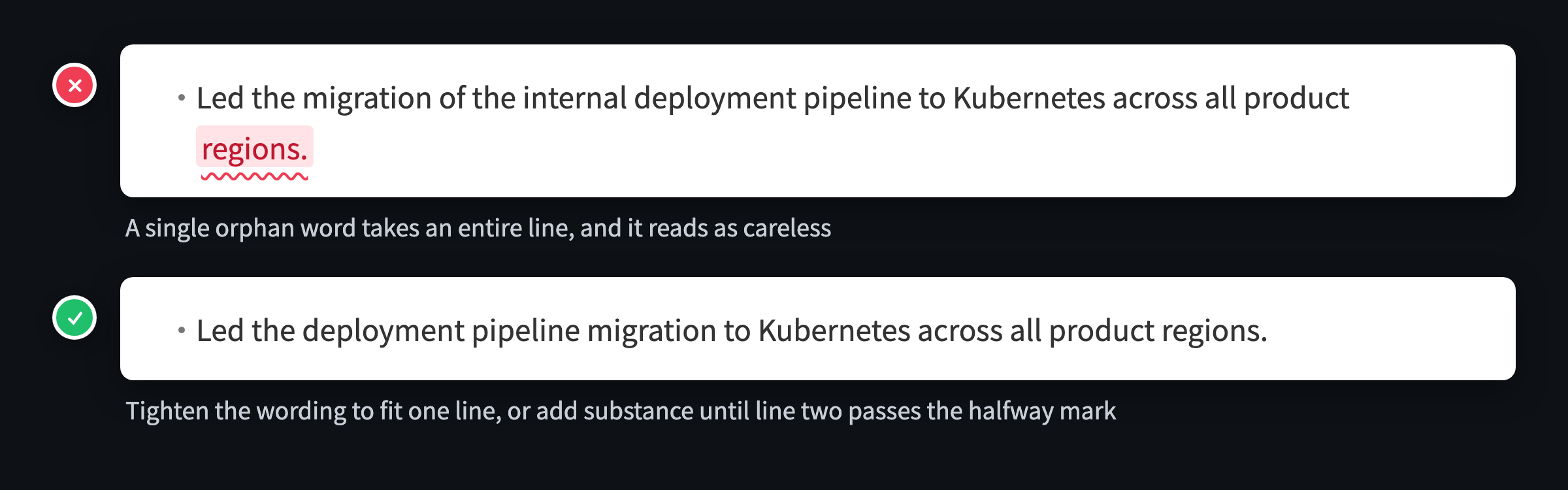
Watch the line-wrap tail: when a bullet runs past one line, look at line two. If it’s holding just one or two words, rework it:
Two more small rules: bullets drop the subject, so start with the verb, never “I led”; and one bullet covers one thing, so if you catch yourself joining two achievements with “and”, split them.
New grads without industry experience: fill this section with projects and internships, same formula.
Skills: one line per category, and own everything you list
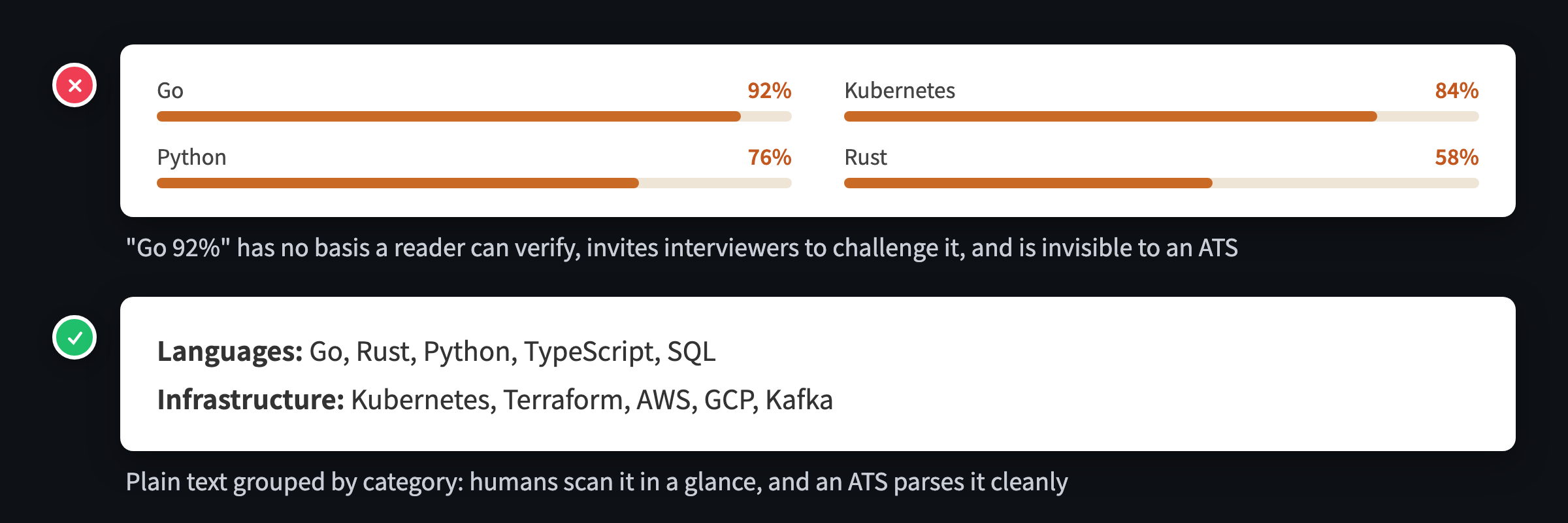
Group by category, one line each, most relevant to the target role first:
Languages: Go, TypeScript, Python
Infrastructure: Kubernetes, Terraform, AWS
Common pitfalls:
- Progress bars and star ratings. “Go 92%” gives the reader nothing to verify, invites interviewers to challenge it, and graphics don’t exist as far as an ATS is concerned (you’ll meet that one again in the next section). Proficiency is proven by your experience bullets, not declared in percentages.
- Padding with irrelevant tech. Space is limited, and a framework you touched for two weeks a decade ago only dilutes the signal.
- Listing what you can’t defend. Anything listed will be probed, and every item has to survive interview follow-ups. Stuffing keywords to pass filters just gets you cornered later.
Education: one line if you have work experience
Newest first, same as experience. Three or more years into your career, one line is enough: degree, school, years. New grads can expand: clubs, leadership roles, relevant coursework, thesis. Include GPA if it’s above 3.5; otherwise leave it out.
ATS rules
At most companies the first reader is an ATS (applicant tracking system) parser, not a human:
- Single column. Two-column layouts, text boxes, and tables can all scramble the parsing order. That’s why the template is single-column in the first place.
- Use the job posting’s vocabulary. If the JD says Kubernetes, write Kubernetes, not just k8s (writing both is safest).
- Don’t hide information in graphics. Skill radar charts and progress bars don’t exist as far as an ATS is concerned.
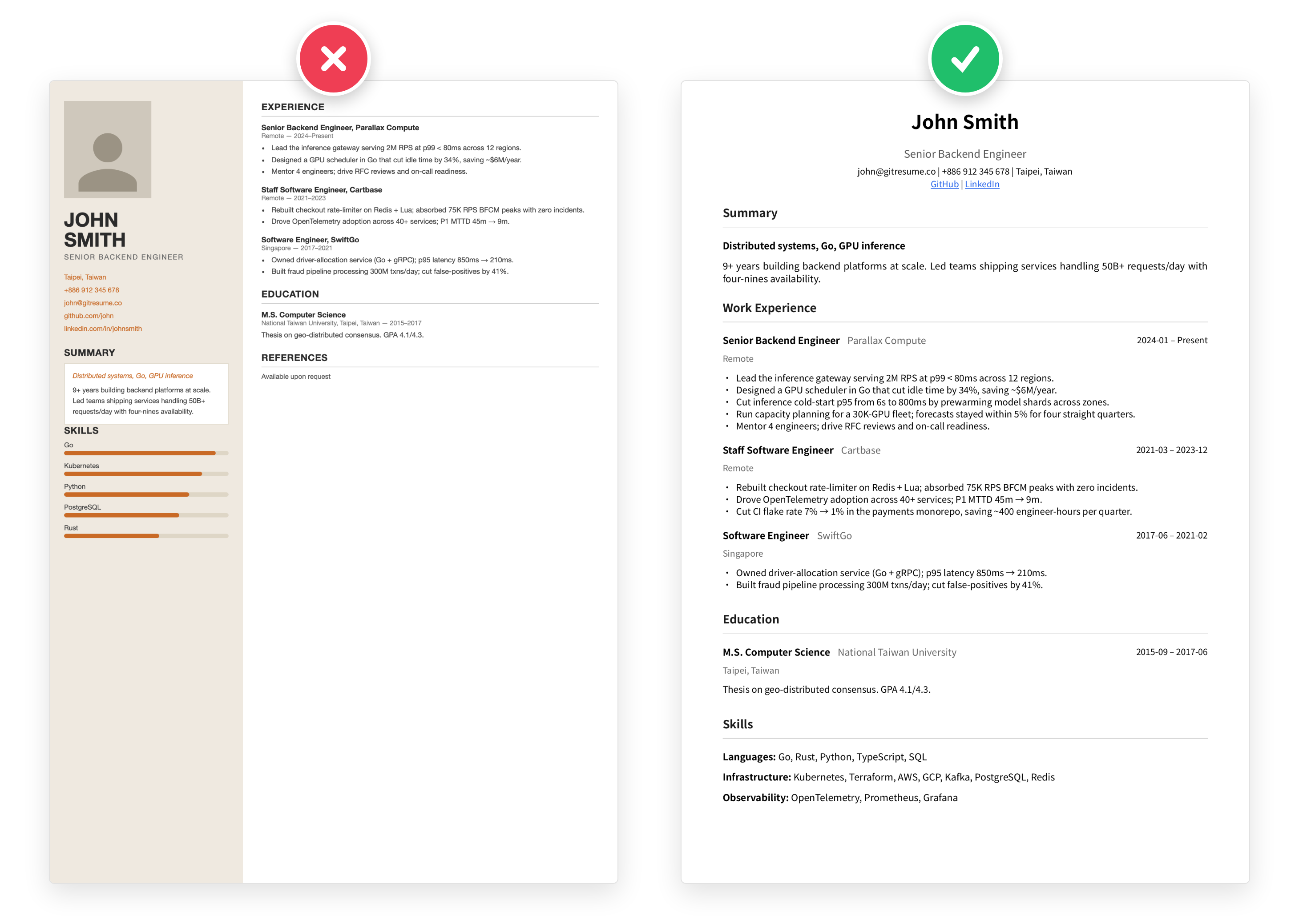
The right side is the PDF GitResume actually produces: plain-text single column, no decorations, nothing for an ATS to trip on.
Layout shouldn’t cost you any time
While we’re on layouts, this is the biggest advantage of using GitResume: you stop burning time on formatting and template hunting. The pretty template you spend half a day finding online isn’t necessarily ATS-friendly either; the two-column-with-progress-bars example above is exactly how those tend to turn out. Font sizes, line heights, margins, alignment: every manual tweak is time taken away from sharpening the content. As an engineer, your effort belongs in the substance. The template locks in the layout; you push content, and the output stays consistent forever.
If you genuinely need to adjust (say, the content runs long and you want it back on one page), project settings include a Layout Density panel: Relaxed, Standard, and Compact presets, or expand the fine-tune controls for font size, line height, margins, and per-level spacing, with a schematic live preview. Changes apply on your next build.
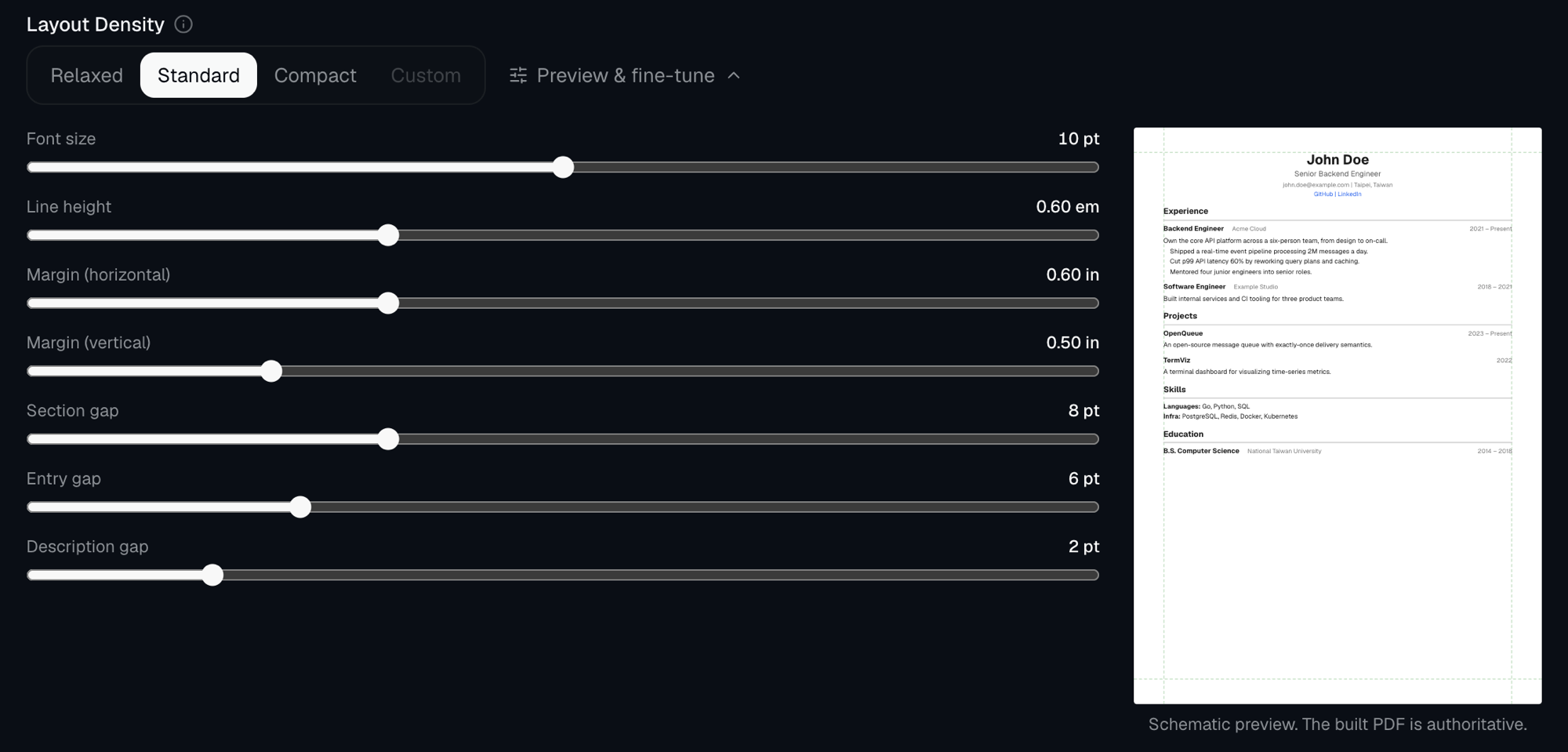
Most people never leave Standard, though. Which is the point: give the time back to the content itself.
English resume, local-language resume, or both?
Depends on the role: local companies in the local language, international companies and remote roles in English. If you need both, maintain two separate resumes; don’t build one bilingual hybrid.
I maintain two myself: two repos, each connected to its own project with its own URL, the Chinese one for local applications and the English one for international companies and recruiters. On the free plan (one project) it still works: keep the two versions on two branches of one repo. Resume changes pushed to either branch build their own downloadable PDF, which covers applications, while the public resume page follows whichever branch the project is set to. Both full histories stay in Git either way.
The template ships in English. Writing in another language just works: put it directly in the field values, and the PDF renders CJK text with Noto Sans CJK, no tofu boxes.
What makes this different from a Word template
It’s a YAML file living in your own GitHub repo:
- Broke something?
git logrecovers any historical version. No moreresume-final-v3-REAL.docx. - Tailoring for different companies? One branch each, and
git diffshows exactly which keywords changed. - Want a friend to review it? Open a PR and comment inline, cleaner than emailing files back and forth.
If this workflow sounds appealing, What is Resume as Code? covers the whole idea. Already have a resume (PDF or Word)? Hand it to an AI agent and it converts to YAML in minutes.
FAQ
One page or two?
One page as the rule, senior engineers included. The right response to overflowing is prioritizing, not shrinking the font. If cutting doesn’t hurt a little, you haven’t cut enough.
Should I include a photo?
Not for international or overseas applications; many companies skip photo resumes outright to avoid bias. Some traditional local industries expect one, so check the posting. Defaulting to no photo is safest, and the template has no photo field anyway.
Does the template cost anything?
The template is free and MIT licensed. GitResume’s free plan covers one project with PDF and web builds, publishing, and anonymous view stats, and the PDF carries no watermark. Pro adds more projects, a custom domain, and other extras.
Do I need to re-export after editing?
No. Pushing is the update. Every build produces a downloadable PDF, and the public resume page always serves the latest build.
Further Reading
- What is Resume as Code?: the full concept of managing your resume with Git
- Turn Your Existing Resume into Resume as Code with an AI Agent: the migration path for an existing resume
- Make Resume Upkeep a Habit with Claude Code on Mobile: keeping the resume fresh after you’ve filled it in
- Getting Started guide: the full repo connection walkthrough