What is Resume as Code? A Developer's Guide to Resume Management in 2026
Resume as Code applies version control and automated builds to your resume. GitResume makes it effortless for engineers!

As an engineer, if your resume workflow currently looks like this:
resume-final.docxresume-final-v2.docxresume-final-v3-REAL.docxresume-final-v3-REAL-john-edited.docxresume-2026-for-google.docxresume-2026-for-google (1).docx
You’re not alone.
You’ve probably run into these problems:
- Can’t tell which version is the latest
- Can’t see what changed between versions
- Hard to maintain tailored variants for different companies
- When someone reviews your resume, you end up merging their edits by hand
But when you manage code, none of this happens.
Because you have Git.
Resume as Code: Bring software engineering practices to your resume
The core idea of Resume as Code is simple: Manage your resume like you manage your code.
In other words, your resume is a plain text file, living in a Git repo, managed with the tools and workflows you already know.
Once your resume is a text file in a repo, your familiar workflows apply directly:
- Version control — Every change has a commit. Want to see your resume from six months ago?
git log. Want to tailor for a specific role? Create a branch. Need to compare two versions?git diff. - Collaboration — Want a friend to review your resume? Open a pull request — the same workflow you use for code reviews every day.
- AI-friendly — Plain text is a natural fit for LLMs. Feed your resume to AI tools and let them suggest improvements for specific job postings.
Common Resume as Code solutions
There are already quite a few approaches in the Resume as Code space:
- LaTeX — The classic choice in academia. Powerful typesetting, but a steep learning curve.
- JSON Resume — An open-source JSON resume standard with a standardized schema, community themes, and online hosting. A mature choice if you prefer the JSON format.
- YAMLResume — An open-source CLI tool that also uses YAML for resumes, rendering PDFs via LaTeX. Worth a look if you prefer building locally.
GitResume chose the YAML + Markdown combination — YAML for structured data, Markdown for free-form content.
Here’s what a resume actually looks like:
personalInfo:
  name: Jane Smith
  title: Senior Software Engineer
  email: [email protected]
  location: San Francisco, CA
  links:
    - label: GitHub
      url: https://github.com/janesmith

sections:
  - type: experience
    items:
      - position: Senior Software Engineer
        organization: Acme Corp
        startDate: "2022-03"
        description: | # Full Markdown supported
          - Led migration from **monolith to microservices**, reducing deploy time by 70%
          - Mentored 3 junior engineers through [structured onboarding program](https://example.com)
          - Built internal CLI tool in `Go` for automated deployments

  - type: skills
    items:
      - category: Languages
        items: [Go, TypeScript, Python]
      - category: Infrastructure
        items: [Kubernetes, Terraform, AWS]
Clean, readable, and diffable. Structured data (dates, titles, categories) goes in YAML, while descriptions are written in Markdown — **bold**, links, lists all work naturally. Each does what it’s best at. This is the resume format GitResume uses.
Here’s an example PDF generated by GitResume:
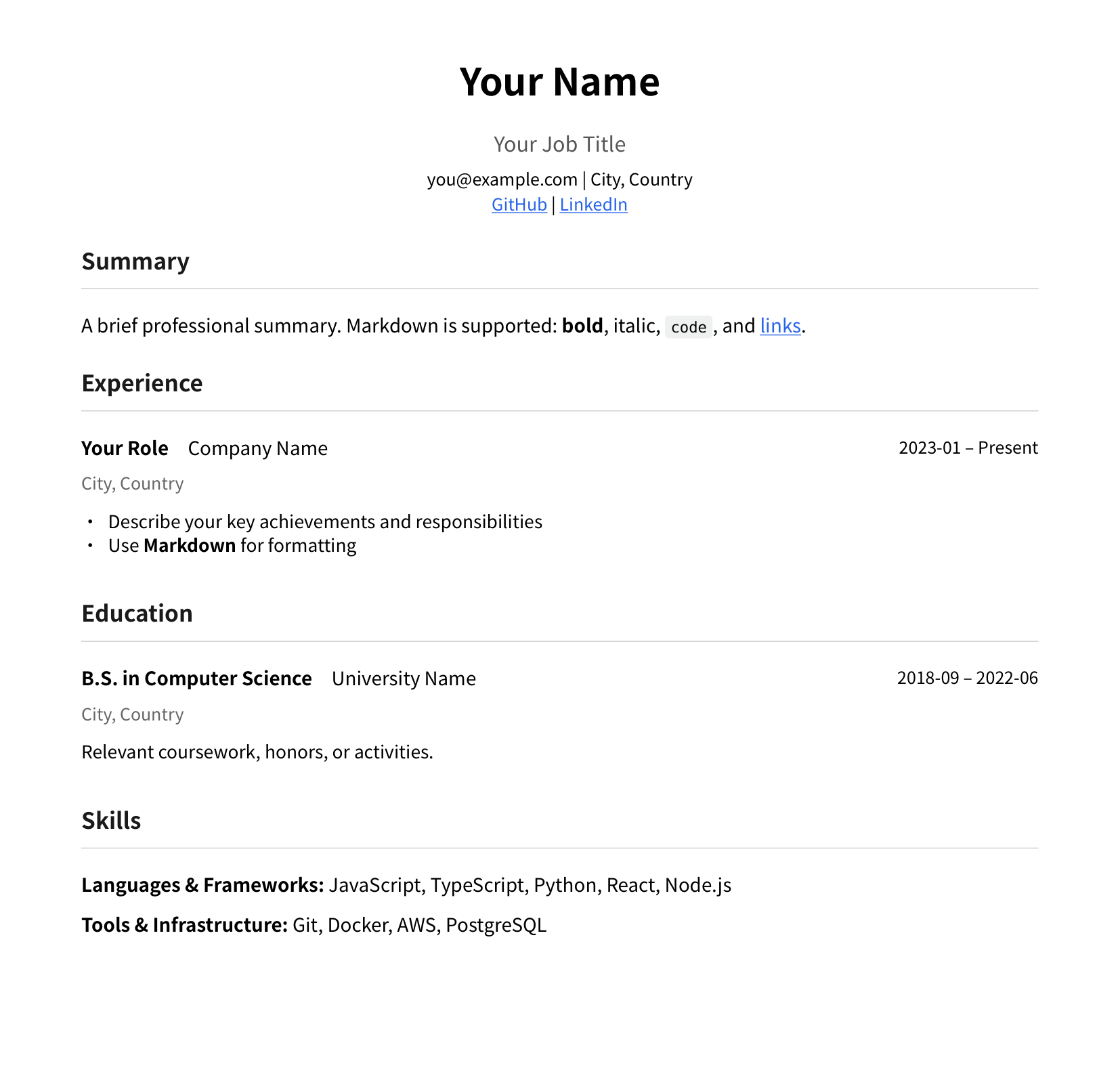
You can also view the live HTML version: gitresume.co/@gitresume-co/resume-template
GitResume: Resume as Code, zero setup
At GitResume, we want you to focus on writing your resume — we’ll handle the rest:
- Professional typesetting — No need to deal with layout design. Stop worrying about spacing, alignment, and font issues.
- Auto-generated PDF and web page — Every commit automatically generates a PDF and a live resume page. Download the PDF directly or share via link anywhere in the world.
- View analytics — We anonymously track views, downloads, and visitor regions for each version, so you can easily see how far your resume reaches.
Say goodbye to resume-xxx (1).docx
Your code has Git. Your infrastructure has Terraform. Your CI/CD has YAML pipelines.
Is your resume still stuck on .docx?
It’s time to Git your resume!
- Getting Started guide — Full setup walkthrough
- YAML Schema Reference — All available fields